Blue Screen Error

Just follow the steps to rectify your problem:

1.See RAM is working properly or not

Hint : You can take Eraser and rub on the RAM gold colour plating to remove black (i.e carbon) on it and insert it. Check again.

2.Recently installed Device Driver, check it

Blue Screen Error


3.And may be application bugs too, so frequently update the softwares

4. Compatability problems due installed softwares in OS


Note: This problem raised by many of us in our own systems and it has been posted in the because one of the facebook groups member has been facing this problem.And it may be useful to you also.

Facebook member facing this problem

If you like this post, you can share it and subscribe to me. If your facing any technical problem, you can contact me. I will try to solve it.

You can also get interesting stuff notifications through facebook  and link is shown below,

https://www.facebook.com/Letsshareourknowledge


Laptop and PC Power unwanted usage is increasing due to some internal problems


  • I have a solution for your battery usage time which can be extended by using simple commands in your Laptop.
  • Just follow the instructions given below and its snapshot is projected below:

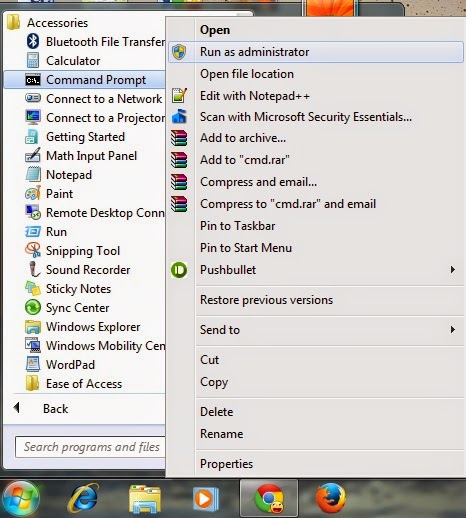
Start > All Programs > Accessories > Right click on Command Prompt > Run as Administrator

Open Command Prompt as Administrator
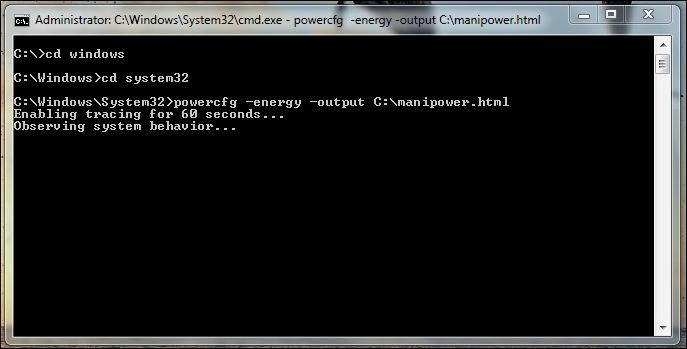
  • Enter the following commands in snapshot in Command Prompt

Use the commands to get power usage
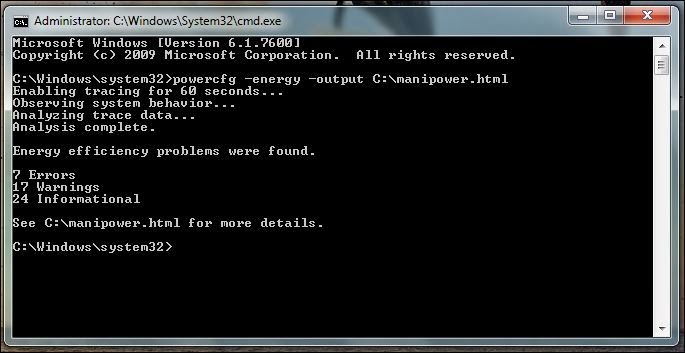
  • After 60 seconds, Energy efficiency problem will be shown
Number of problems are shown
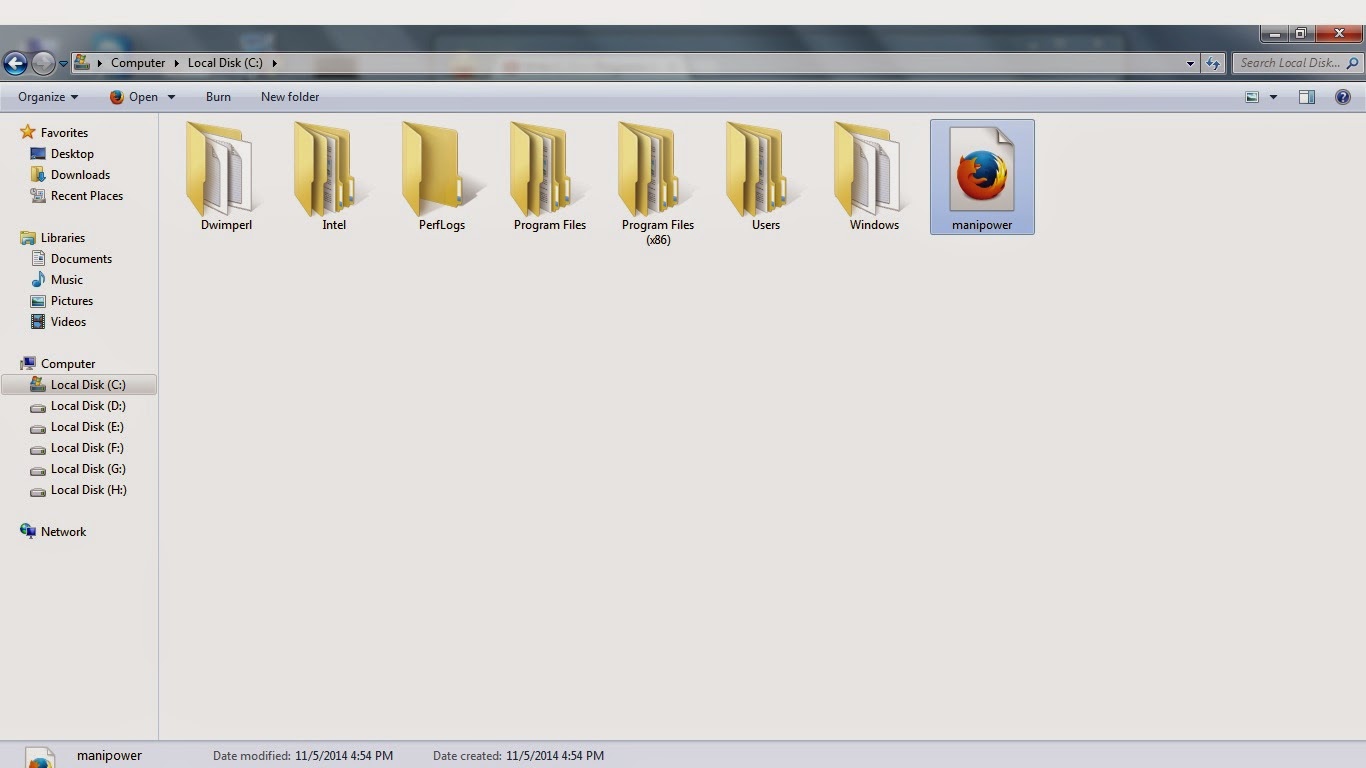
Open destination folder as shown below
Destination folder where I have saved my files
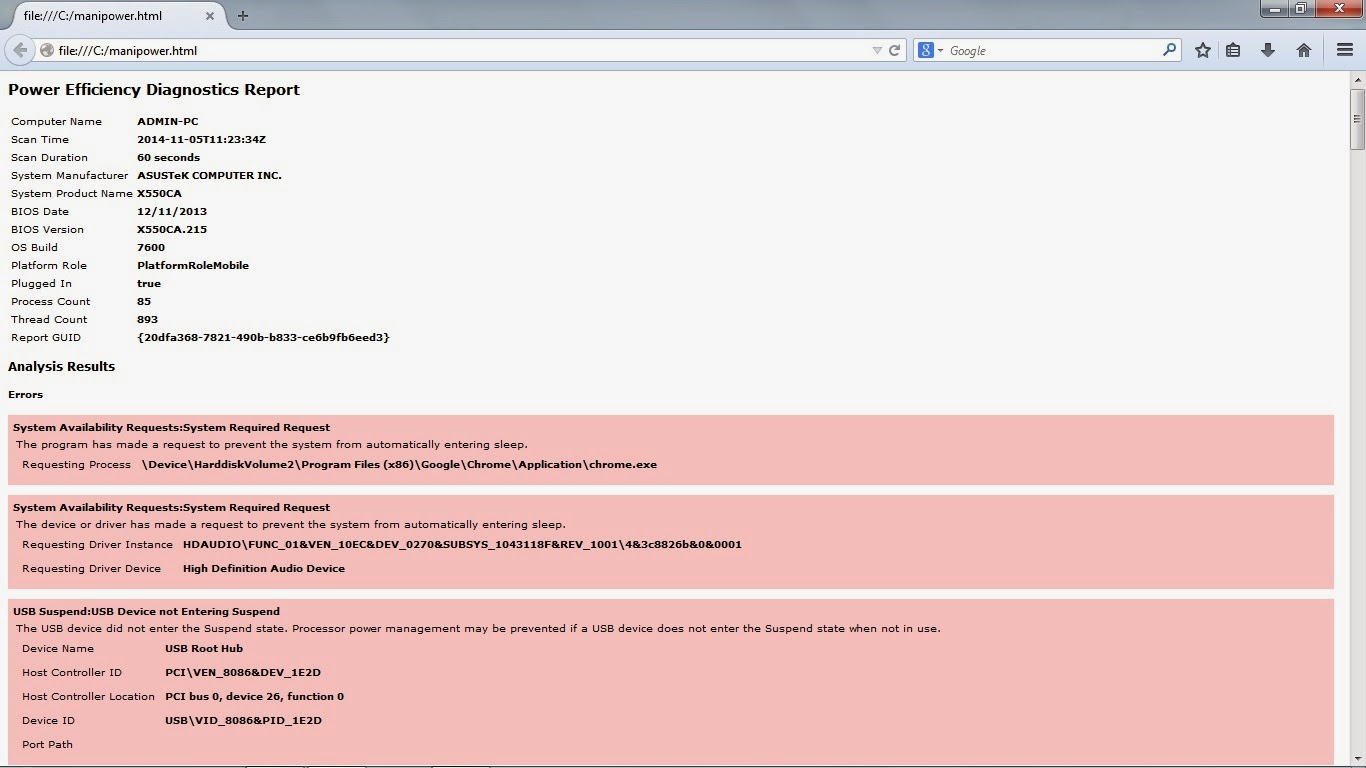
  • Open "manipower.html" (it is the name which you give in command prompt), below snapshot shows you the list of problems that you can rectify and solve manually.
Problems listed in my Laptop

  • If you really like post then acknowledge by comments, doubts and etc.

Are you worried about the multiple contacts and duplicate contacts. Dont worry, I have solution for it.

Ø I have a problem with N number contacts, finally I found a free android app which solved my problem. And  the app is Contacts Optimizer.

Ø If your facing same problem then Why don’t you try this app.

Home Screen of  Contacts Optimizer


Ø  Now select select account :
My accounts in my mobile
Ø Now it loads all contacts and shows the duplicate as shown below :

Showing duplicate files in my contacts

Ø Now click on complete optimization and follow steps

Ø Finally my contacts all are optimized as shown below :

 
My duplicate contacts are deleted and finally optimised
to
1078 ===> 297
 Ø Now you can download app from Google Play by clicking below:


Delete Every File While Uninstalling a Software


  • A software "Revo Uninstaller" which removes every hidden files in your computer after uninstalling a software. 

  • Revo uninstaller is available for free version and paid version too.

Latest Gmail 5.0 released by Google

Gmail 5.0 used to connect to various email services.

The various snapshots shows you the view of Gmail 5.0

My 3 Accounts of different Email services


You can add any Email services to Gmail 5.0


One Email services preview 


Now, you can download  Gmail apk and exchange services apk files by clicking below images: